GitHub Actions Workflow
How to write a minimal, supply-chain-safe GitHub Actions CI workflow with SHA-pinned actions and deterministic installs.
TL;DR
A GitHub Actions workflow lives in .github/workflows/*.yml, runs jobs on GitHub-hosted runners in response to events like push or pull_request, and should pin third-party actions to full 40-character commit SHAs, declare minimal permissions, and use npm ci for deterministic installs.
Why it exists
Manual "works on my machine" checks break as soon as multiple commits or contributors land on a repo. CI automates lint, tests, and builds on every change in a clean environment—provided the workflow itself doesn't introduce mutable dependencies or overly broad token permissions.
Mental model
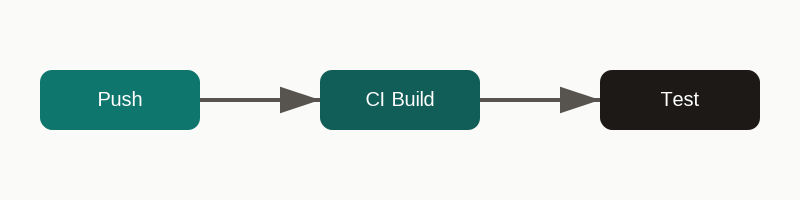
Think of a workflow YAML file as four nested layers:
- Trigger (
on:) — which repository events start a run (push,pull_request,workflow_dispatch). - Permissions (
permissions:) — what theGITHUB_TOKENis allowed to touch (default tocontents: read). - Jobs (
jobs.<id>) — isolated virtual machines (runs-on: ubuntu-latest) that run in parallel by default. - Steps (
steps:) — sequential shell commands (run:) or reusable actions (uses:) inside a job.
Do it
Create .github/workflows/ci.yml with SHA-pinned actions, permissions: contents: read, and npm ci:
name: CI
on:
  push:
    branches: [main]
  pull_request:

permissions:
  contents: read

jobs:
  build:
    runs-on: ubuntu-latest
    steps:
      - uses: actions/checkout@11bd71901bbe5b1630ceea73d27597364c9af683 # v4.2.2
      - uses: actions/setup-node@49933ea5288caeca8642d1e84afbd3f7d6820020 # v4.4.0
        with:
          node-version: "22"
          cache: npm
      - run: npm ci
      - run: npm test
You can look up the real commit SHA for any action release tag before pinning it:
git ls-remote https://github.com/actions/checkout.git refs/tags/v4.2.2Gotchas
Pin every third-party action to a full 40-character commit SHA with a version comment (# v4.2.2), never a mutable major tag like @v4. A tag can be force-pushed to point at malicious code; a commit SHA is immutable.
npm installin CI:npm installcan silently updatepackage-lock.jsonor install newer semver matches. Always usenpm ci(orpnpm install --frozen-lockfile) so CI fails loudly when the lockfile is out of sync.- Default
GITHUB_TOKENscope: Always set explicitpermissions:at the workflow or job level so a compromised step cannot write to the repository.
Production checklist
- Pin all
uses:references to 40-char commit SHAs with# vX.Y.Zcomments. - Declare explicit least-privilege
permissions:(usuallycontents: read). - Use
npm ci/pnpm install --frozen-lockfileand enable dependency caching. - Validate workflow syntax with
actionlintbefore merging.
Check yourself
Check Yourself
1. Why should you pin GitHub Actions to a 40-character commit SHA instead of @v4?
2. What is the main advantage of npm ci over npm install in a CI job?
Sources
Related Notes
OpenTofu Cheatsheet
Everyday tofu CLI commands for init, plan, apply, state inspection, formatting, and unlocking—verified against the OpenTofu 1.13 docs.
Pipeline Anatomy: Triggers, Jobs, Cache, Artifacts
How a CI/CD pipeline turns a git push into parallel jobs, cached dependencies, build artifacts, and a deployment gate.